
 🇲🇳
🇲🇳MiQ Settings, Crosshair & Stats
| eDPI | 800 | Resolution | 1920x1080 16:9 |
| DPI | 400 | Scaling | Native |
| Sensitivity | 2 | Refresh Rate | 360Hz |
| cm/360 | 52cm | Mouse |
MiQ is a professional CS2 rifler currently playing for ATOX Esports from Mongolia. MiQ plays with a medium sensitivity setup at 800 eDPI (400 DPI × 2 sens), which is below the pro average of 844. MiQ uses 1920x1080 resolution (16:9 Native) on a gaming monitor, paired with a gaming mouse. Calculate your own effective sensitivity using the eDPI Calculator, or use the Sensitivity Converter to match MiQ's setup from another game.
See all ATOX Esports team settings for a full roster comparison, or browse the Pro Gaming Gear hub to find gear used by top players.
Upcoming Matches
Scheduled matches and tournaments for this player's team.
Mouse & Sensitivity
Mouse & Mousepad
Crosshair
Not availableAdvanced Crosshair Settings
Video & Display
Viewmodel
viewmodel_fov 68; viewmodel_offset_x 2.5; viewmodel_offset_y 0; viewmodel_offset_z -1.5Gear & Peripherals
MiQ's Weapon Skins
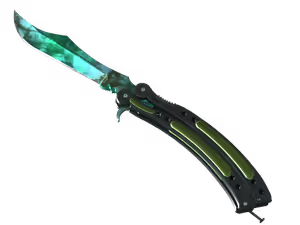
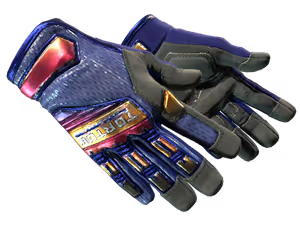
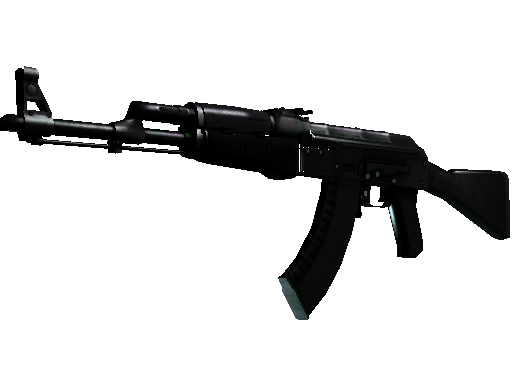
Config & Download
Grab MiQ's full CS2 config as an autoexec file, or copy console commands directly.
// MiQ's CS2 Config — Generated by CSGOLuck Wiki
// https://wiki.csgoluck.com/pro-players/miq/

// Sensitivity
sensitivity "2"
zoom_sensitivity_ratio_mouse "1"

// Crosshair
cl_crosshairstyle "4"
cl_crosshairsize "2"
cl_crosshairgap "-1"
cl_crosshairthickness "1"
cl_crosshairdot "0"
cl_crosshair_drawoutline "0"

// Viewmodel
viewmodel_fov "68"
viewmodel_offset_x "2.5"
viewmodel_offset_y "0"
viewmodel_offset_z "-1.5"
Performance Stats
Live stats from professional matches, powered by PandaScore.
Recent Matches
Recent match results for this player's team.
ATOX Esports Roster


Similar Configs
 🇧🇦 NiKoFalcons Esports800 eDPI
 🇸🇰 frozenFaZe800 eDPI
 🇱🇹 jLFree Agent800 eDPI
 🇩🇰 MagiskFree Agent800 eDPI
 🇭🇺 torzsiMOUZ800 eDPI🇷🇺 7nationFree Agent800 eDPI
Settings Comparison
| Setting | MiQ | NiKo | frozen | jL | Magisk |
|---|---|---|---|---|---|
| eDPI | 800 | 800 | 800 | 800 | 800 |
| DPI | 400 | 800 | 400 | 800 | 800 |
| Sensitivity | 2 | 1 | 2 | 1 | 1 |
| Resolution | 1920x1080 | 1280x768 | 1280x960 | 1280x1024 | 1280x960 |
| Aspect | 16:9 | 16:10 | 4:3 | 5:4 | 4:3 |
| Scaling | Native | Stretched | Stretched | Stretched | Stretched |
| Mouse | Razer DeathAdder V4 Pro NiKo Edition | Razer DeathAdder V4 Pro Black | Logitech G Pro X2 SUPERSTRIKE | Logitech G Pro X Superlight 2 Magenta | |
| Refresh Rate | 360Hz | 1000Hz | 4000Hz | 4000Hz | 1000Hz |
Frequently Asked Questions
What sensitivity does MiQ use in CS2?
MiQ uses 400 DPI with 2 in-game sensitivity, resulting in 800 eDPI. This translates to approximately 52 cm per 360-degree turn. This is below the pro average of 844 eDPI, suggesting a preference for precision over speed.
What mouse does MiQ use?
MiQ currently uses the at 400 DPI with a 1000Hz polling rate, paired with a mousepad.
What resolution does MiQ play on?
MiQ plays on 1920x1080 (16:9) with Native display mode at 360Hz on a .
What is MiQ's crosshair code?
MiQ's crosshair code is not currently available. Check back later as we regularly update player settings.