
 🇹🇷
🇹🇷ngiN Settings, Crosshair & Stats
| eDPI | 1000 | Resolution | 1920x1080 16:9 |
| DPI | 400 | Scaling | Native |
| Sensitivity | 2.5 | Refresh Rate | 1000Hz |
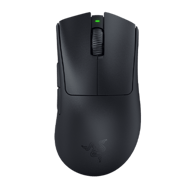
| cm/360 | 42cm | Mouse | Razer Deathadder V3 Pro Black |
ngiN is a professional CS2 rifler from Turkey. ngiN plays with a high sensitivity setup at 1000 eDPI (400 DPI × 2.5 sens), which is above the pro average of 844. ngiN uses 1920x1080 resolution (16:9 Native) on a ZOWIE XL2566K, paired with a Razer Deathadder V3 Pro Black. Calculate your own effective sensitivity using the eDPI Calculator, or use the Sensitivity Converter to match ngiN's setup from another game.
Upcoming Matches
Scheduled matches and tournaments for this player's team.
Mouse & Sensitivity
Mouse & Mousepad
Crosshair
Not availableAdvanced Crosshair Settings
Video & Display
Advanced Video
Viewmodel & Bob
viewmodel_fov 60; viewmodel_offset_x 1; viewmodel_offset_y 1; viewmodel_offset_z -1Weapon Bob
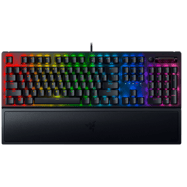
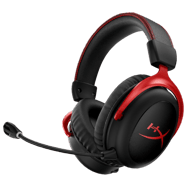
Gear & Peripherals

Config & Download
Grab ngiN's full CS2 config as an autoexec file, or copy console commands directly.
// ngiN's CS2 Config — Generated by CSGOLuck Wiki
// https://wiki.csgoluck.com/pro-players/ngin/

// Sensitivity
sensitivity "2.5"
zoom_sensitivity_ratio_mouse "1"

// Crosshair
cl_crosshairstyle "4"
cl_crosshairsize "2"
cl_crosshairgap "-1"
cl_crosshairthickness "1"
cl_crosshairdot "0"
cl_crosshair_drawoutline "0"

// Viewmodel
viewmodel_fov "60"
viewmodel_offset_x "1"
viewmodel_offset_y "1"
viewmodel_offset_z "-1"
Performance Stats
Live stats from professional matches, powered by PandaScore.
Recent Matches
Recent match results for this player's team.
Similar Configs
 🇷🇺 donkTeam Spirit1000 eDPI
 🇧🇦 huNter-Free Agent1000 eDPI
 🇷🇸 nexaFree Agent1000 eDPI
 🇩🇰 stavnFree Agent1000 eDPI
 🇸🇪 olofmeisterBoomer Demons1000 eDPI
 🇺🇸 Stewie2KFree Agent1000 eDPI
Settings Comparison
| Setting | ngiN | donk | huNter- | nexa | stavn |
|---|---|---|---|---|---|
| eDPI | 1000 | 1000 | 1000 | 1000 | 1000 |
| DPI | 400 | 800 | 800 | 800 | 400 |
| Sensitivity | 2.5 | 1.25 | 1.25 | 1.25 | 2.5 |
| Resolution | 1920x1080 | 1280x960 | 1350x1080 | 1024x768 | 800x600 |
| Aspect | 16:9 | 4:3 | 5:4 | 4:3 | 4:3 |
| Scaling | Native | Stretched | Stretched | Stretched | Black Bars |
| Mouse | Razer Deathadder V3 Pro Black | ZOWIE x donk Mouse (Unreleased) | ZOWIE EC2-DW Glossy | Logitech G Pro X Superlight 2 Magenta | ZOWIE EC2-CW |
| Refresh Rate | 1000Hz | 1000Hz | 4000Hz | 1000Hz | 1000Hz |
Frequently Asked Questions
What sensitivity does ngiN use in CS2?
ngiN uses 400 DPI with 2.5 in-game sensitivity, resulting in 1000 eDPI. This translates to approximately 42 cm per 360-degree turn. This is above the pro average of 844 eDPI, suggesting a preference for faster target acquisition.
What mouse does ngiN use?
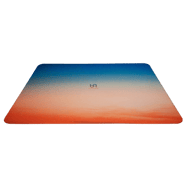
ngiN currently uses the Razer Deathadder V3 Pro Black at 400 DPI with a 1000Hz polling rate, paired with a VAXEE PA Summer22 mousepad.
What resolution does ngiN play on?
ngiN plays on 1920x1080 (16:9) with Native display mode at 1000Hz on a ZOWIE XL2566K.
What is ngiN's crosshair code?
ngiN's crosshair code is not currently available. Check back later as we regularly update player settings.